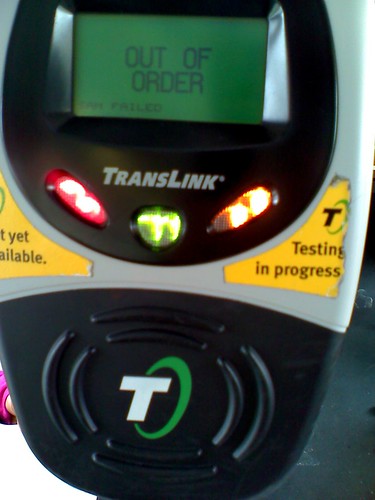
FYI: It's called "Clipper" now, but it's all the same product.
I've been keeping an eye on Twitter about the Translink card program, and while users have complimented about the program, the most frequent complaint I notice is the "72 hour" rule about adding funds and/or passes to your account. People think this is a stupid policy, but it's not really a policy at all, it's purely technical.
I'm going to take a moment to explain why there is a "72 hour" rule:
The "72 hour" rule is for anyone who calls the customer service center or uses the internet to upload funds (e-cash) and/or passes to their Translink card account.
The reason why they have to tell you this "72 hour" disclaimer is because of the technology used on the vehicles and stationary readers.
Assume you called the customer service line and asked to add $20. The card readers on the buses and trains are NOT instantly updated that moment with your new e-cash amount. In fact, the data gets updated every time the vehicles goes to the garage and will inform the card readers that $20 has just been uploaded into your account. When you board the vehicle with updated information in the reader and tag your card, the card gets the new info of the increase and will deduct your transit fare in one quick transaction.
If your second bus/train doesn't have the new data of the e-cash increase and your card has been revised of its amount, it will acknowledge the updated info on your card since it is the most up-to-date information.
Translink vehicle and station readers are not connected to a network 24-hours a day to instantly update your information when making phone or web fund uploading (it's not a credit card terminal that dials-up for approval every single time). That would make the program even more expensive and wasteful.
--------------------
This is how you can get your funds added INSTANTLY and is usable WITHOUT DELAY:
- Visit a ticket office that allows purchasing of Translink funds.
- Visit a Walgreens location.
- Use the automated machines like at all Muni Metro stations and the Golden Gate Ferry terminal in SF.
--------------------
Think of your Translink card as an iPod, and all e-cash and pass transactions are iTunes:
- If you make a purchase WITHOUT your iPod in hand to sync (Translink lingo: phone or web transaction), your new purchase won't be updated until you sync it (Translink lingo: wait up to 72 hours for the card readers to update so you can tag your card to sync it).
- If you make your purchase WITH your iPod in hand to sync (Translink lingo: make a transaction in-person or a ticketing machine), your new purchase will be playable on your iPod instantly because you synced it on the spot (Translink lingo: your card is inserted in the machine and updates your card for instant use).
You can also stop the delay by telling Translink you want the "autoload" program. Similar to FasTrak, if your card funds reach a certain threshold or your pass expires, Translink will charge your credit card with an updated cash balance or new monthly pass. Expect the 72 hour wait for this process to be updated on all card readers.
It's not always 72 hours, sometimes it is just the next day. It all depends on how often the vehicle goes to the depot. Stationary readers are typically updated at a more reliable schedule since they are hardwired to the Translink network.
Disclaimer: I don't work for Translink or any other public transit agency. This information is from several years of experience as a participant of Translink.
--------------------
UPDATE: The 72-hour process is similar with other agencies that also uses RFID transit cards and allows purchasing by phone and/or online. The process is known as "store and forward" and is used by Octopus Card (Hong Kong), one of the most successful transit fare card programs in the world. London's Oyster Card and many of other card programs also uses the "store and forward" process as well.

